
Know exactly what the doctor said.
Even when you couldn't be in the room. Nota records your parent's visit on their iPhone and writes a plain summary your family can trust.
Free for 14 days. For iPhone.
- Asks the doctor first, every time
- Recording stays on their phone
- No ads, ever
You set it up. They press one button.
Set up in ten minutes
Add their doctors and medications from your phone, then sign them in with a one-time code. No password for them to remember.
One button at the visit
They tap Start Visit. Nota asks the doctor's permission, records, and keeps their questions on screen.
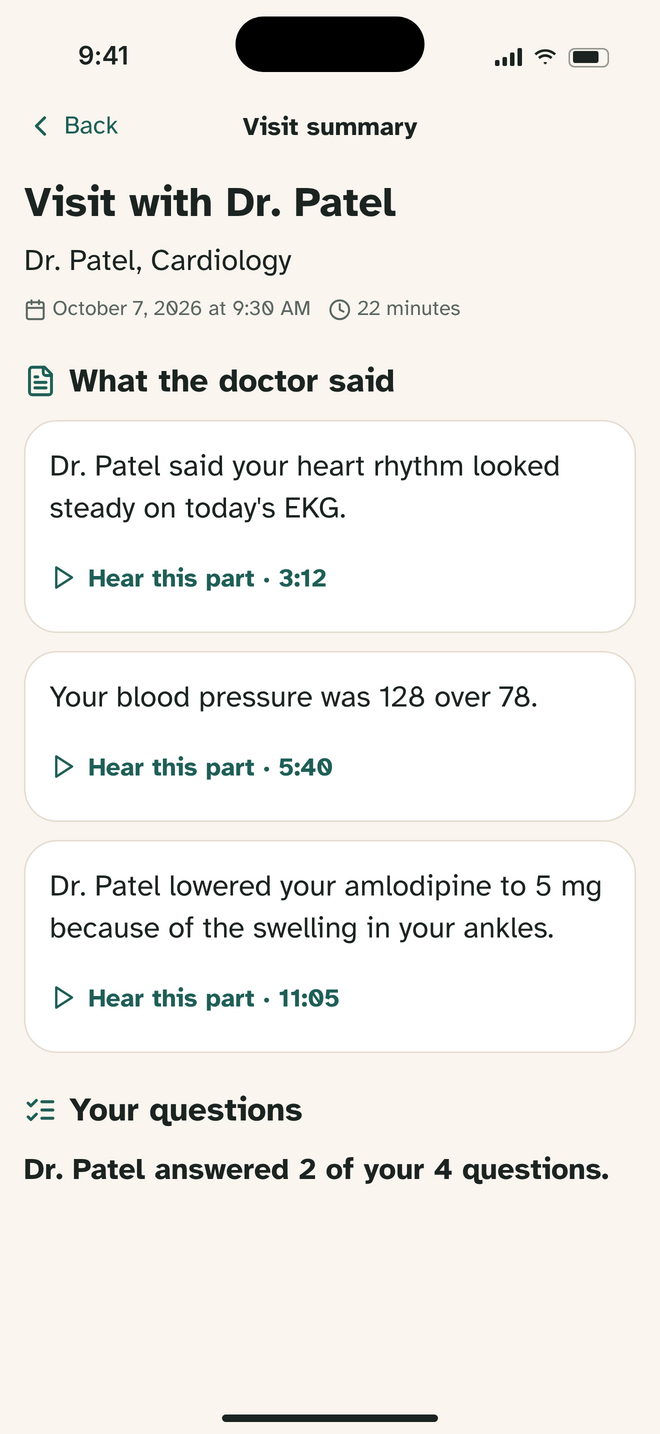
A summary for the family
Minutes later, you read what was said, which questions got answered, and what happens next.
One big button. Nothing else to learn.
Simple Mode shows Start Visit, the next appointment and their questions in large, easy type. They can also say "Hey Siri, start my Nota visit."
- Recording keeps going with the screen locked and through a phone call.
- If the doctor says no, they can speak a quick recap afterward instead.
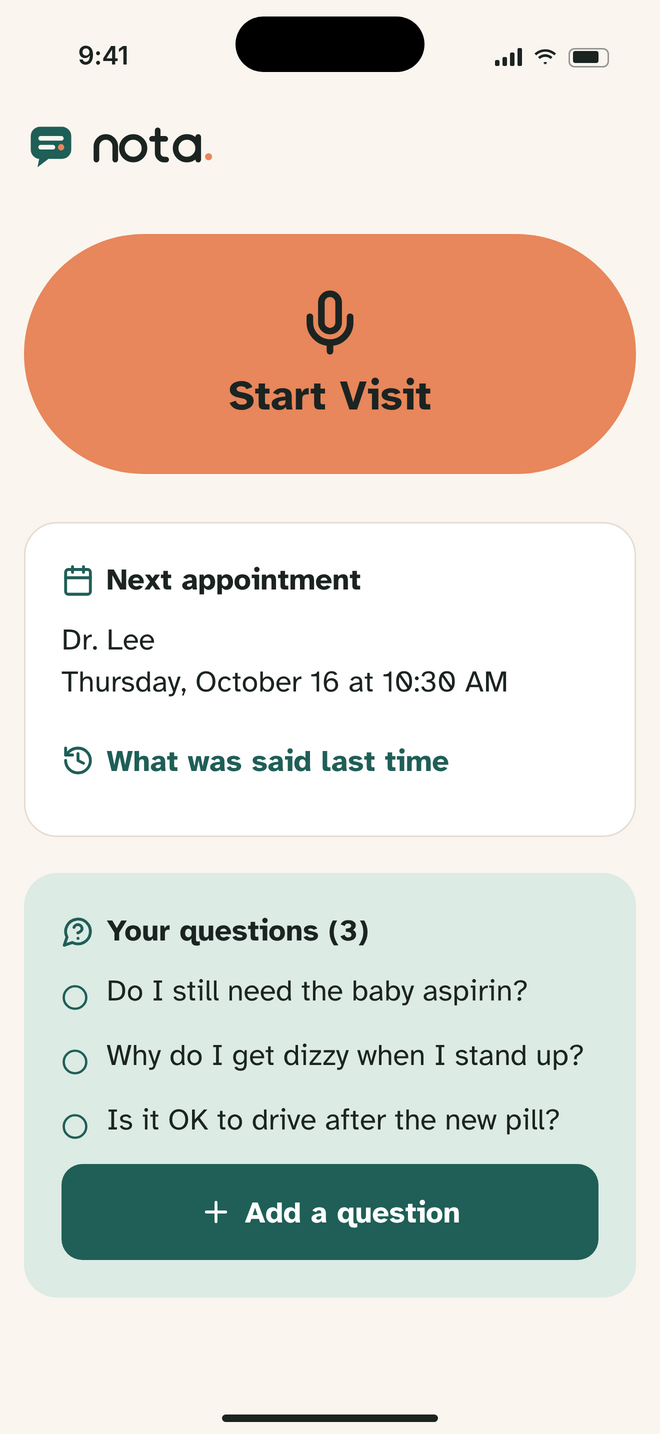
Their phone can stay in their pocket.
Nota shows a short script to ask the doctor's permission and keeps the doctor's OK at the start of the recording. Their question list stays on screen, and they can tap each one once it's been asked.
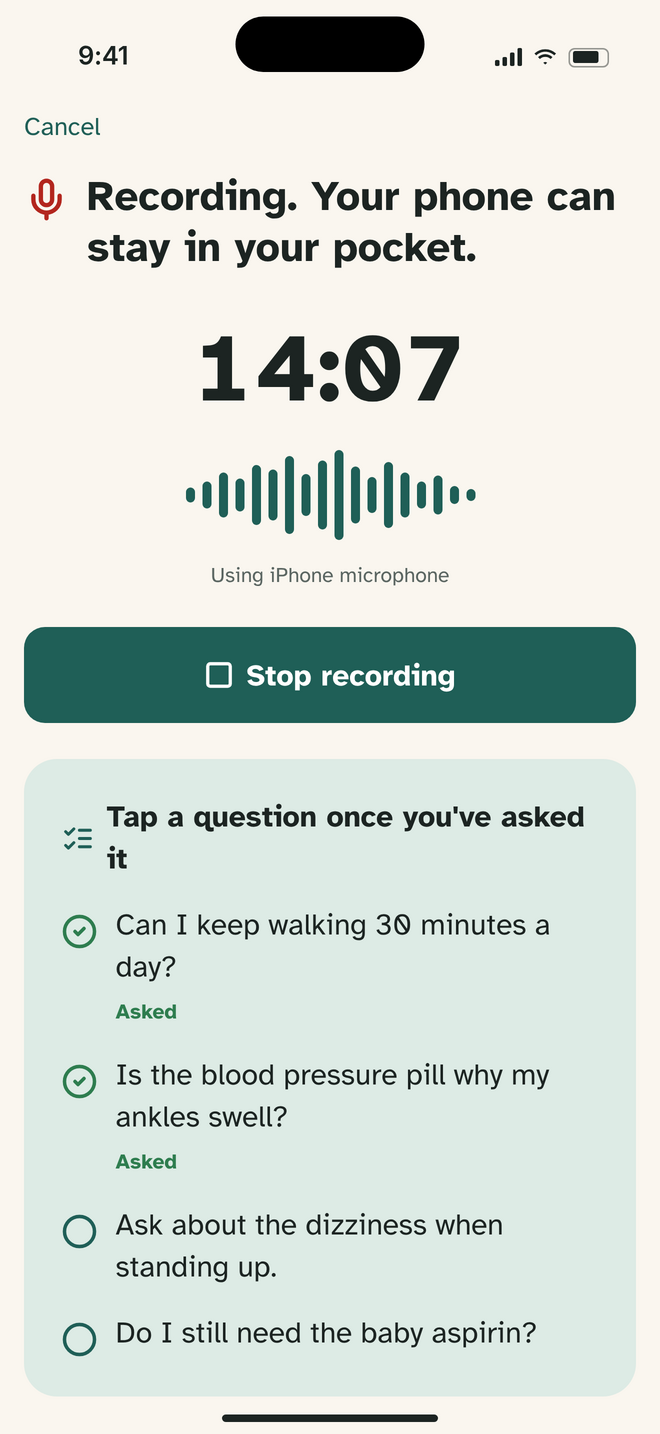
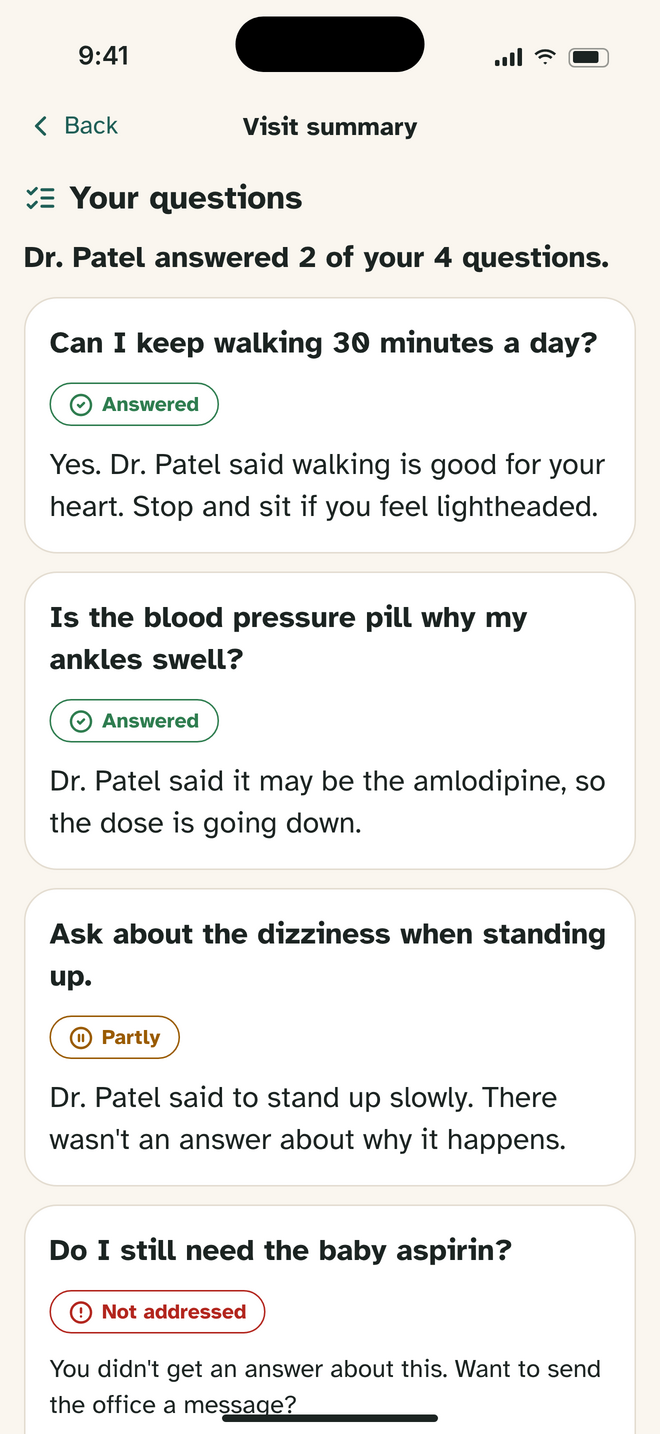
See which questions got answered.
Every question comes back marked answered, partly, or not addressed, with the doctor's answer in plain words.
- Unanswered questions carry over to the next visit.
- Nota drafts a message to send the office through their patient portal.
Dose changes, ready to confirm.
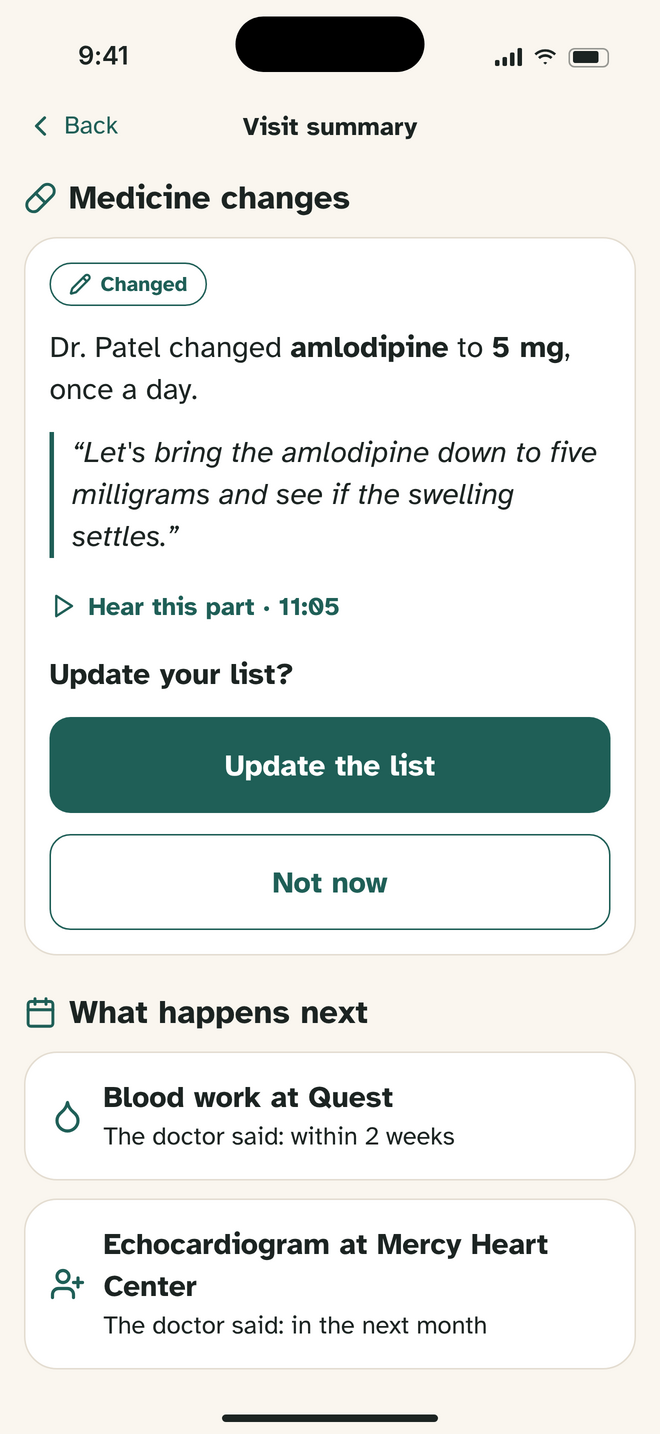
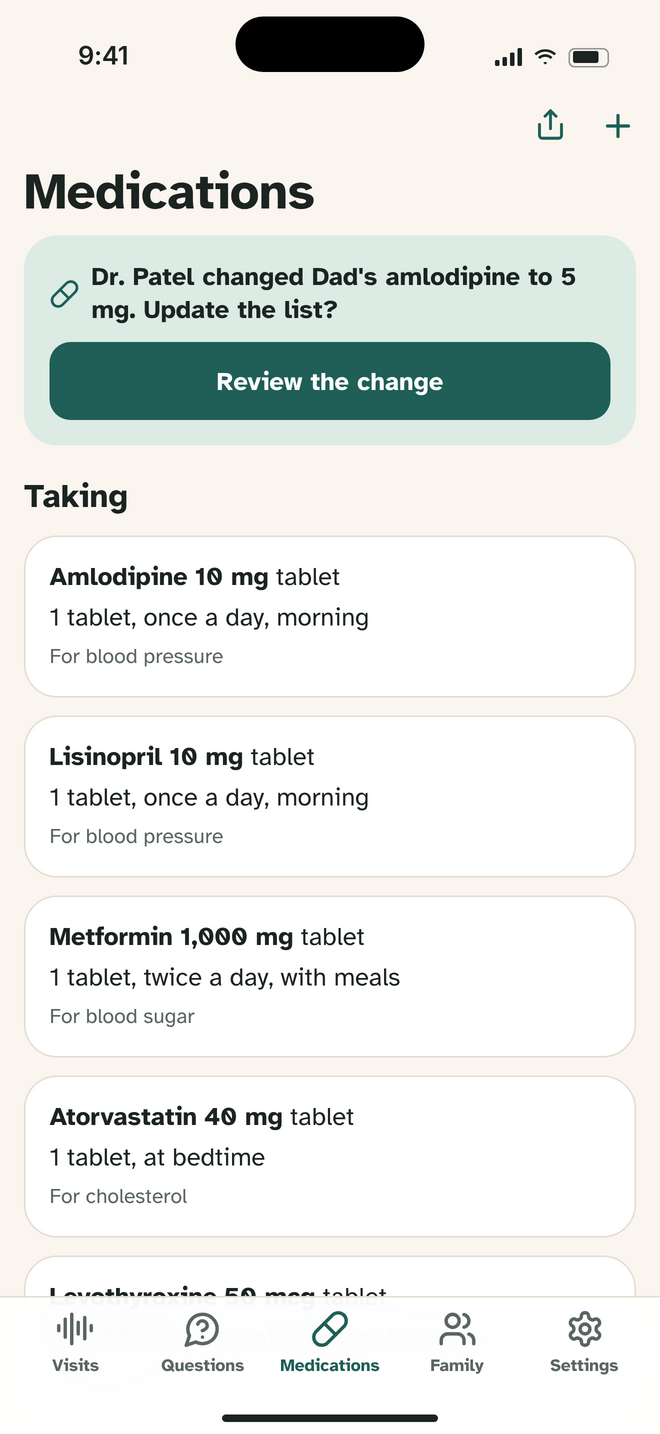
When the doctor changes a medication, Nota shows it as a suggested edit with the doctor's own words next to it. Nothing changes until someone taps to accept.
"Let's bring the amlodipine down to five milligrams and see if the swelling settles."
Even when you couldn't be in the room.
Read the summary from another city, minutes after the visit ends. Every line links to the moment it was said, so you can hear it for yourself.
- Follow-ups become reminders and calendar events after one tap.
- Search every visit by medication, symptom or date, and see what was said last time.
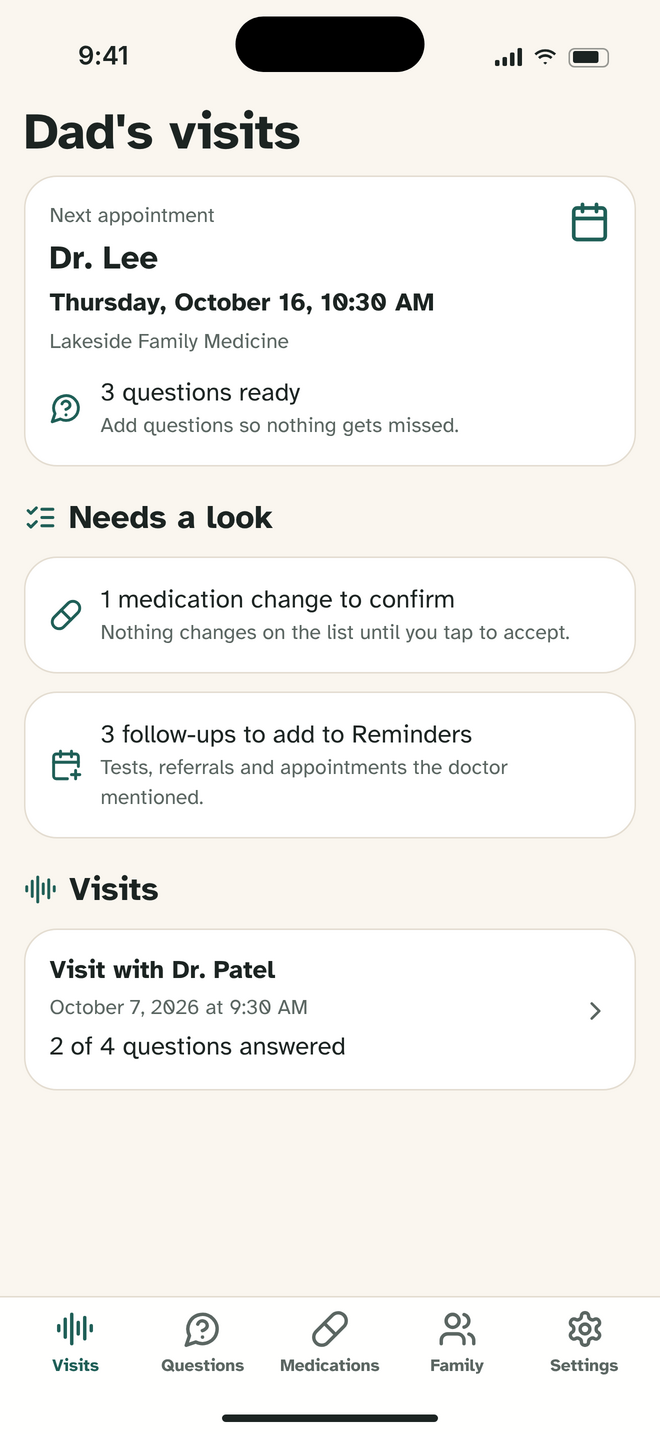
Every screen, built to be read at a glance.
Large type, high contrast, and every status shown as an icon and a word. Screens show a sample family; names and details are invented.
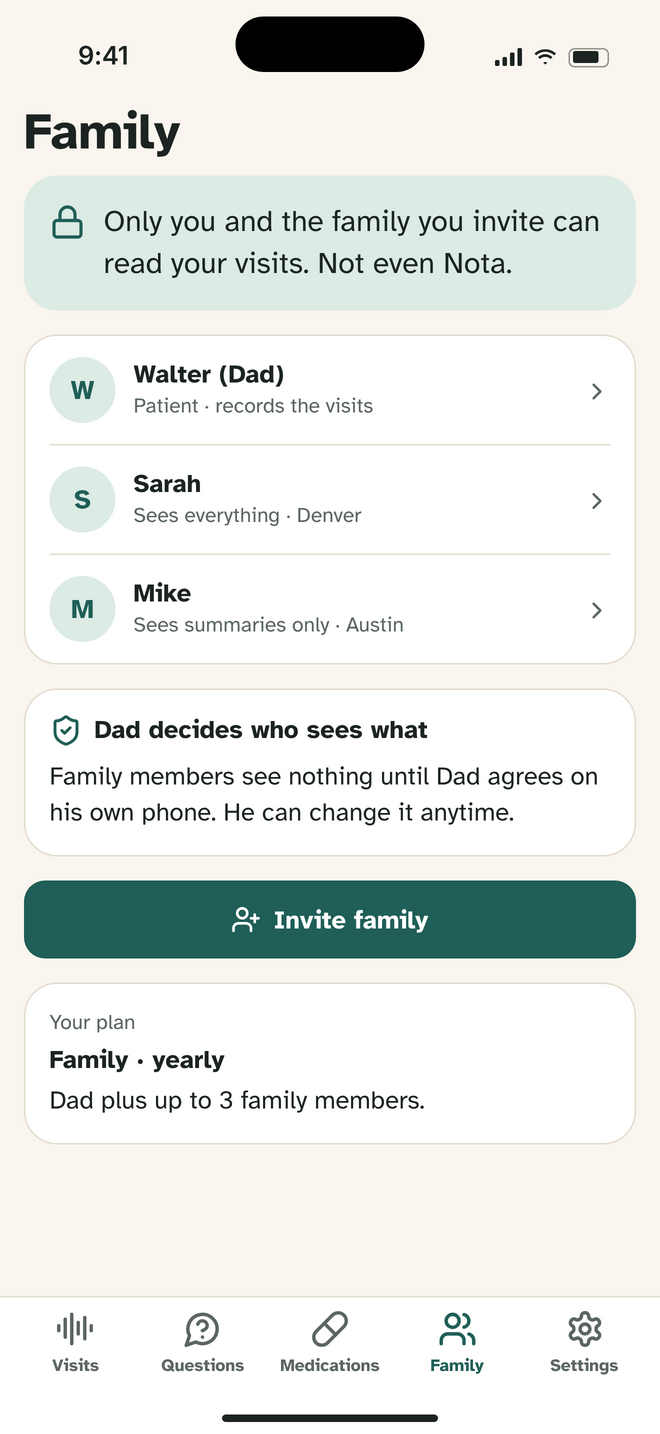
Only you and the family you invite can read your visits. Not even Nota.
Your parent decides who sees what: everything, summaries only, or just the visits they choose to share. Family members see nothing until they agree on their own phone.
- The recording stays on their iPhone and deletes itself after 30 days unless they keep it.
- Transcripts and summaries are written on the phone. Nothing is sent to an outside service.
- Everything shared with family is encrypted on the phone before it leaves.
- Notifications never include health details. No ads, and we never sell your data.
One plan for the whole family.
Every family starts with 14 days of Family, free. Your parent never sees a paywall.
Free
- 2 visits a month
- The medication list
- For one person, no family sharing
Family
or $7.99 a month
- Unlimited visits
- One parent and up to 3 family members
- Shared medication list and visit timeline
- Questions that carry over, PDF export
Family Plus
or $12.99 a month
- Both parents
- Up to 6 family members
- Priority support
Subscriptions renew through the App Store until canceled in your iPhone's Settings.
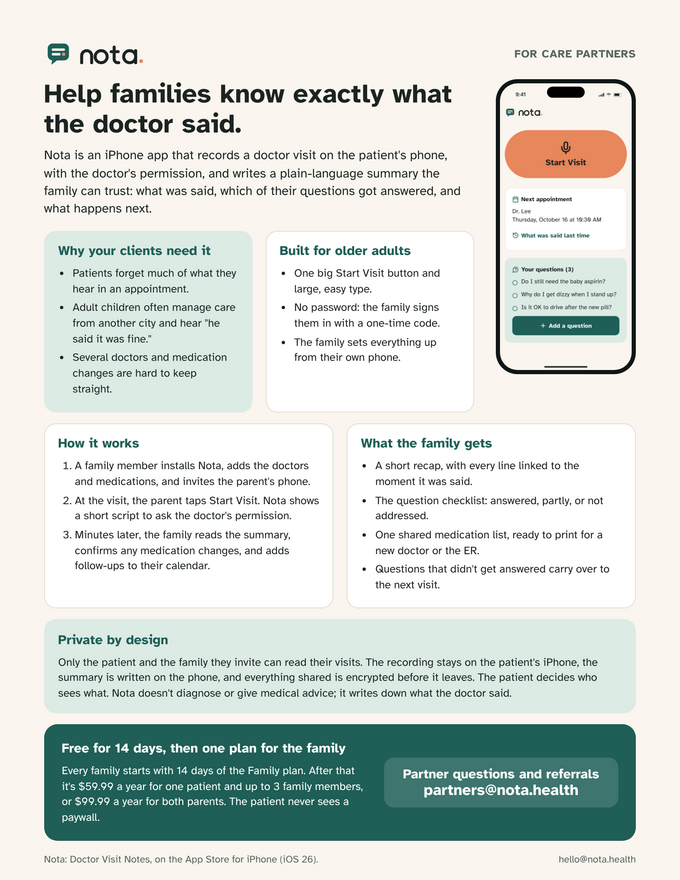
Help the families you work with know what the doctor said.
Area Agencies on Aging, geriatric care managers, elder-law attorneys and home-care agencies recommend Nota to families managing a parent's care. Share our one-page overview with your clients or your team.
Partner questions: [email protected]
What families ask before they start.
Is it legal to record a doctor's visit?
Some states require everyone's consent to record. Nota asks the doctor every time, shows a short script to make it easy, and keeps the doctor's OK at the start of the recording. If the doctor says no, your parent can speak a recap afterward instead.
Does Nota give medical advice?
No. Nota writes down what the doctor said. It doesn't diagnose, interpret results or recommend treatment. Summaries can contain mistakes, and the doctor's instructions always come first.
How accurate is the summary?
Every line links to the moment in the recording it came from, so you can check it yourself. Medication names and doses always show the doctor's own words next to them, and anything Nota isn't sure about is marked "Unclear, ask your doctor."
Which iPhones does it work on?
Nota needs iOS 26. Summaries need an iPhone 15 Pro or newer with Apple Intelligence turned on. An older iPhone still records and transcribes, and a newer iPhone in the family writes the summary.
Can my brother see it too?
Yes. The Family plan covers up to 3 family members, in any household. Your parent chooses what each person can see.
What if a phone is lost?
Your family's keys sync through iCloud Keychain, and setup gives you a printable recovery code. With either one, you can restore your visits on a new phone.
Can we delete everything?
Yes. One button exports everything, and deleting the account removes it from our servers and every device.

Know what the doctor said.
Set up Nota on your parent's phone in ten minutes.
Download on the App StoreFree for 14 days.